 DriveBeats
 Google Drive music player
Play your Google Drive music on any device
Pick the folders you want, stream your MP3s, FLACs, and more. Keep playlists and favorites in sync across all your devices. Download tracks for offline playback.
- Free forever
- Under a minute setup
- Only the Drive files you choose
How it works
Three steps. No app store, no uploads, no setup headaches.
Sign in
Connect your Google account. DriveBeats never sees your password.
Pick your library
Choose folders or audio files from your Drive to add to your library.
Play
Stream, build playlists, and favorite tracks. Everything syncs so it's ready on your next device.
See it in action
A quick look at the library, folders, and data controls.
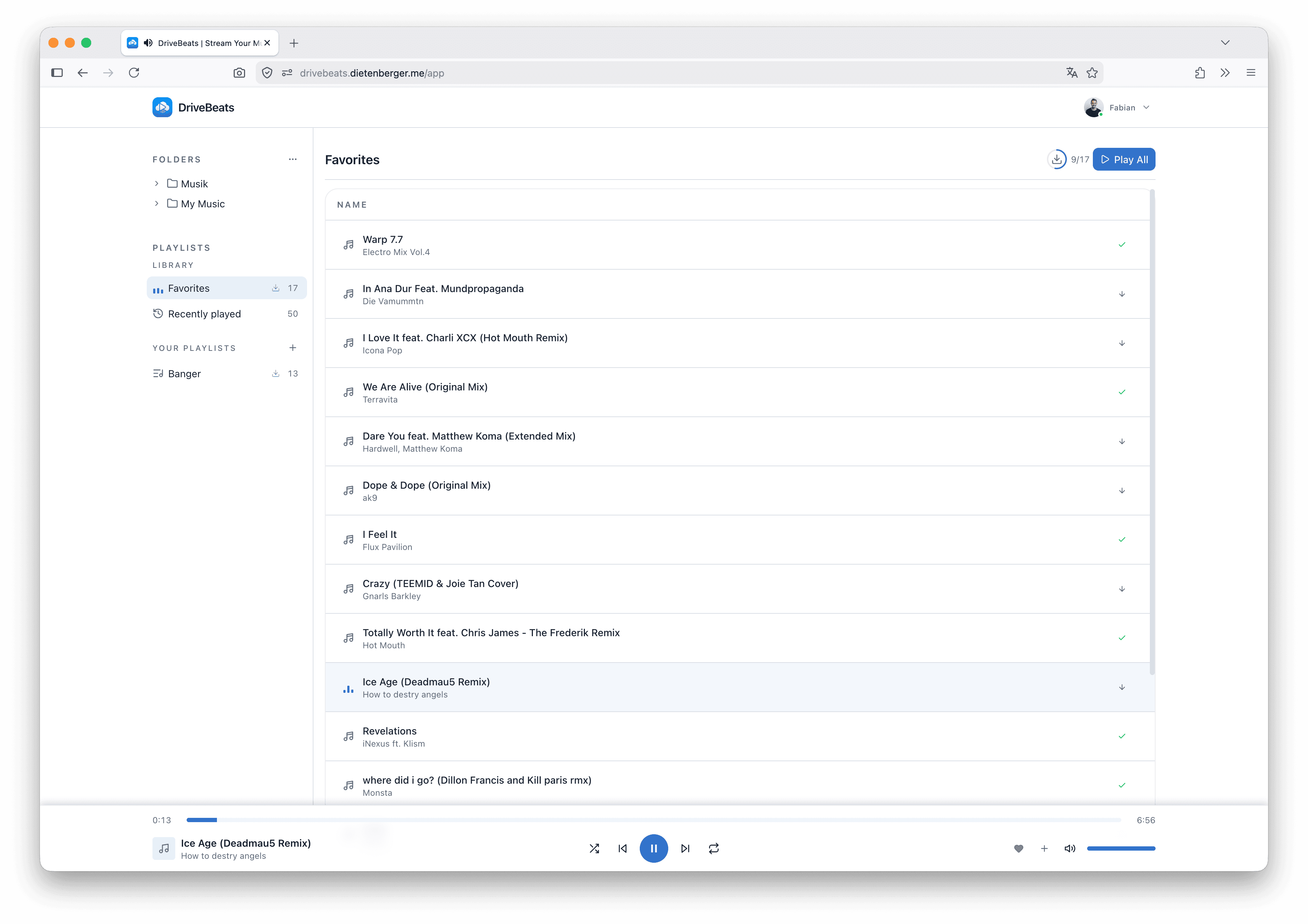
Favorites on every device
Heart a track on one device, find it waiting on every other. Your library stays in sync, wherever you listen.
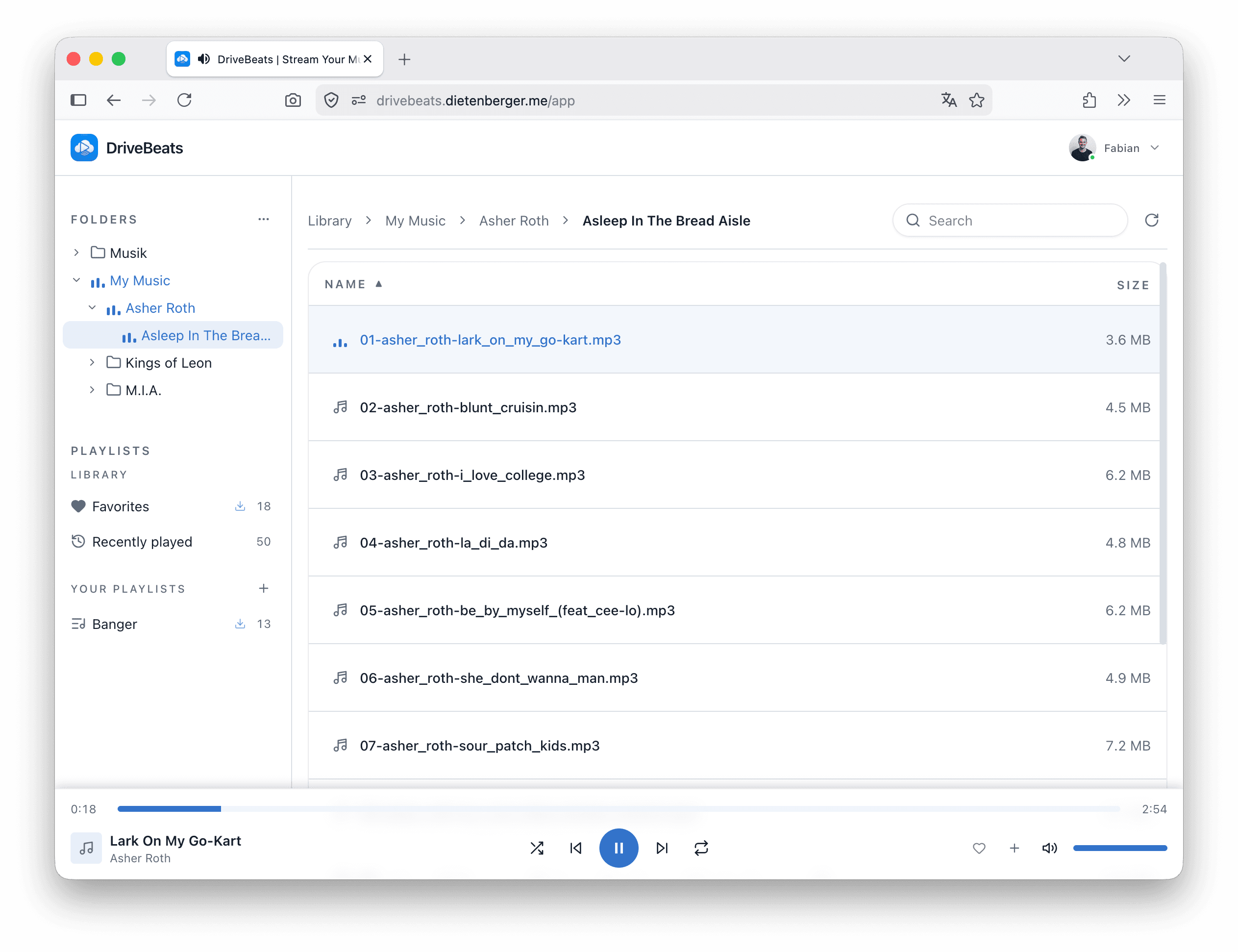
Just the folders you pick
Import what you want. No full-Drive access, no clutter — only the albums and folders you choose to bring in.
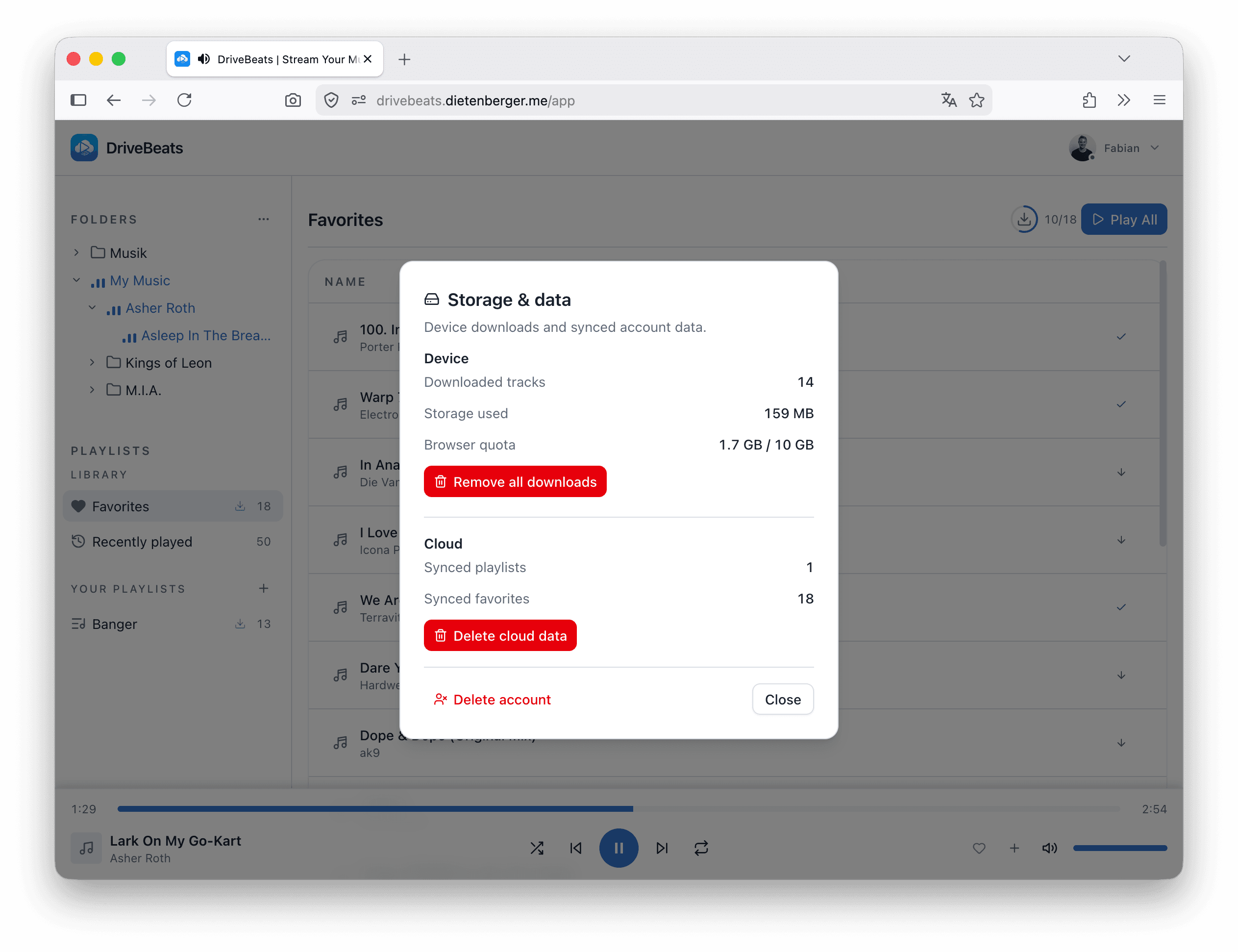
Your data, your rules
Clear downloads, delete synced cloud data, or remove your account — anytime, without leaving the app.
Your Drive music, your way
Everything you expect from a modern music player — nothing you don't.
Favorites that follow you
Heart a song on one device, find it in your Favorites on every other.
Offline playback
Download playlists and favorites so you can keep listening on a plane, on your commute, or anywhere without a connection.
Import only what you want
Pick specific folders or audio files for a clean library view. Nothing else is touched.
Playlists from any folder
Combine songs from different folders into playlists. Drag to reorder, pick them up on any device.
A real music player
Shuffle, repeat, progress bar, and keyboard shortcuts. Works the same whether you're streaming or playing downloaded tracks.
Private by design
No full-Drive access. Your listening history, imported library, and offline downloads never leave your browser.
Frequently asked questions
How does signing up work?
What permissions does DriveBeats need?
drive.file scope, which is limited to the folders and audio files you explicitly choose with Google Picker, not your entire Drive. It also uses basic sign-in info (your name, email, and profile picture) to identify your account within the app.Can you see or modify my files?
Do my files get downloaded or stored on your servers?
Where is my DriveBeats data stored?
Can I delete my synced data?
What happens if I log out?
Can I install DriveBeats as an app on my phone or computer?
How do I remove access?
Your music, on every device, for free
Stream from Google Drive, keep playlists and favorites in sync, and listen offline.